
Recurring invoice software
Recurring invoice software for work that follows a regular schedule.
Set up the customer, services and timing once, then let Tallyo create each new invoice while you stay in control of whether it is emailed automatically.
How it works
Set the pattern once, then review what comes next.
Recurring schedules are useful when the same customer receives a similar invoice every week, month, quarter or year.
- 1
Prepare the source invoice
Save the customer, line items, prices and terms you want future invoices to use.
- 2
Choose the schedule
Set how often the invoice repeats, the next creation date and, when needed, when the schedule should end.
- 3
Choose the email option
Send each new invoice automatically only when no further review is needed, or leave it ready for you to check.
- 4
Review and adjust
See the next run and recurring history, then pause or change the schedule when the work changes.
Recurring schedule
Keep the timing and email choice visible
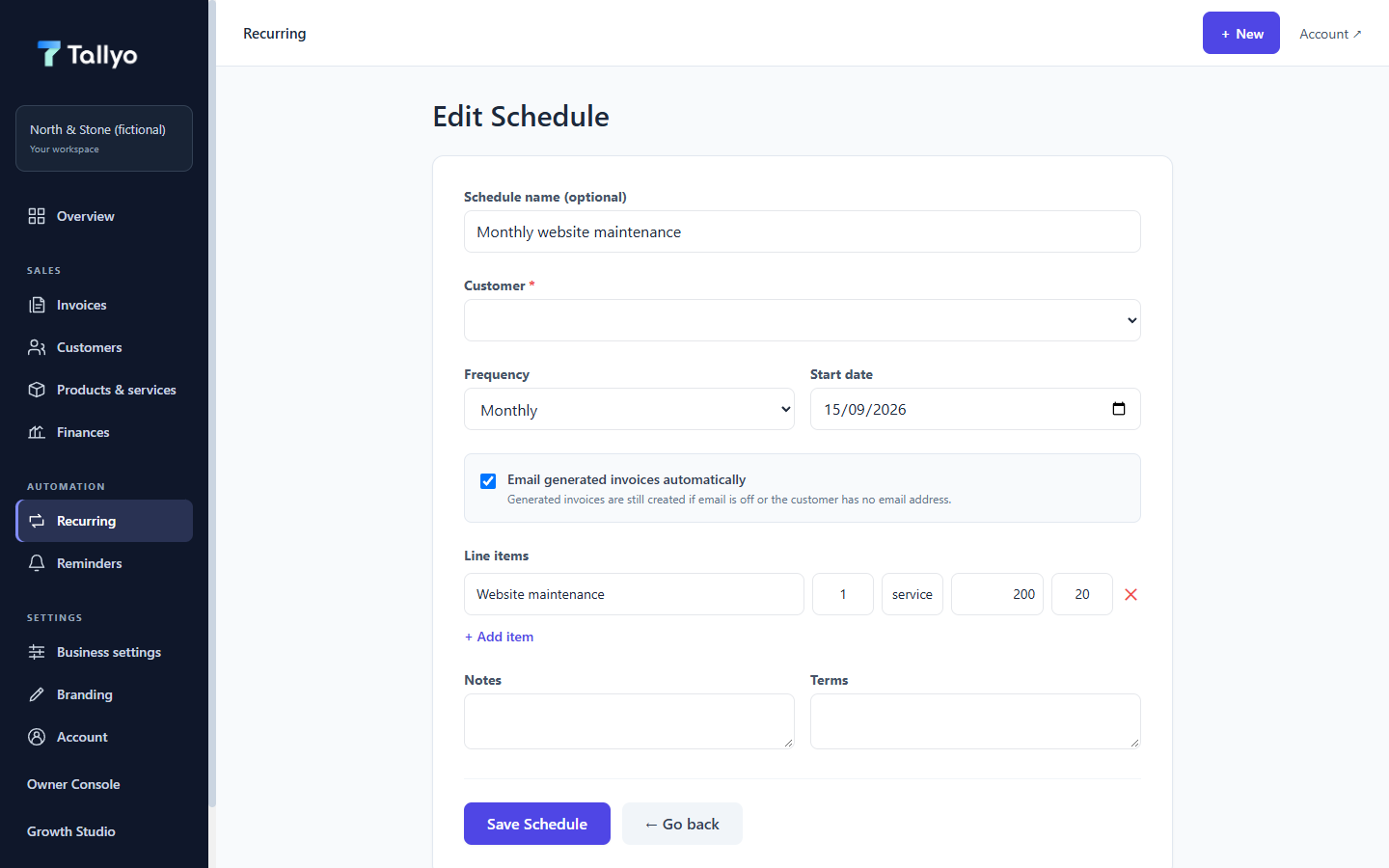
The schedule shows when the next invoice will be created and whether it will be emailed automatically, using fictional demonstration data.
What stays clear
Know what will repeat before the next invoice is created.
Each schedule keeps its customer, items, frequency, next date and email choice together. The recurring history helps you check what the schedule created previously.
Recurring invoices need an internet connection to Tallyo's scheduled service. Installing Tallyo does not make recurring work run offline.
- Weekly, monthly, quarterly or yearly schedules
- A visible next invoice date
- Automatic email or review before sending
- Pause, update and recurring-history controls
Common questions
Useful answers before you start.
How often can an invoice repeat?
A recurring schedule can run weekly, monthly, quarterly or yearly.
Does every recurring invoice have to be emailed automatically?
No. You choose whether each new invoice is emailed automatically or left ready for review.
Can I change a recurring schedule later?
Yes. You can review the next date and pause or update the schedule when the work changes.
Does the Free Invoice Maker include recurring invoices?
No. The free maker creates one browser-only document. Saved schedules and recurring history are Tallyo Pro features.
Ready when you are
Spend less time rebuilding the same invoice.
Create a Tallyo account to save the customer, set the schedule and choose how each new invoice should be handled.